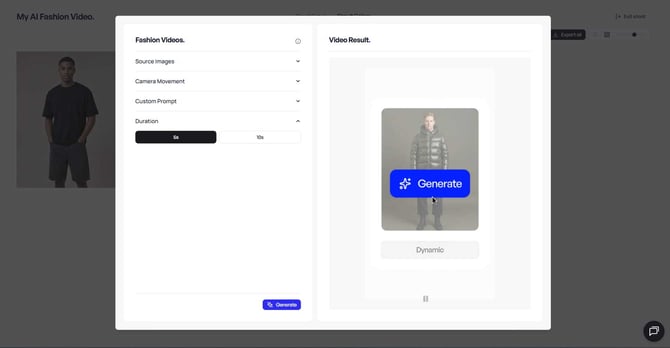
In addition to photorealistic images, Veeton allows you to create short AI fashion videos from your completed shoots. These 5-second or 10-second videos are perfect for boosting engagement on e-commerce pages or social media.
If you are currently on the Free plan and want to generate a video, simply upgrade to any paid plan to unlock video generation.
Open a completed shoot
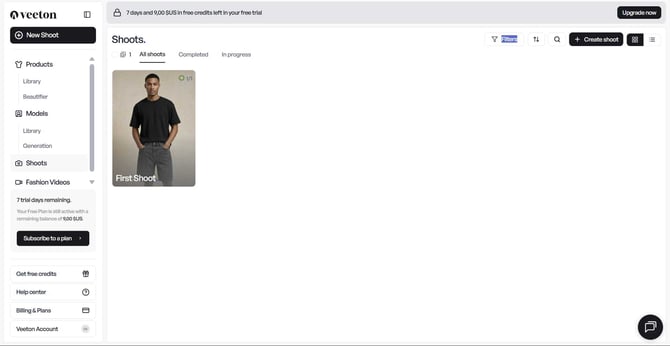
- Go to your Shoots tab or the Recent Shoots section on your dashboard.
- Select the shoot containing the images you want to animate, then click on the icon of a camera.
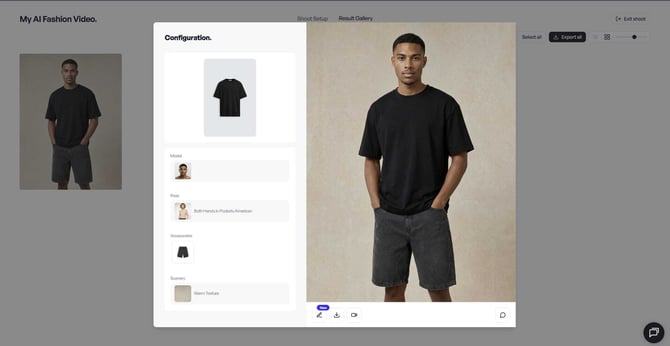
Choose a movement style
- You’ll see five ready-made movement cards prepared by Veeton:
- Slow Movements
- Dynamic
- Walking Off Camera
- Back View
- Camera Movement
Select one of these pre-set movements to quickly define your video style.
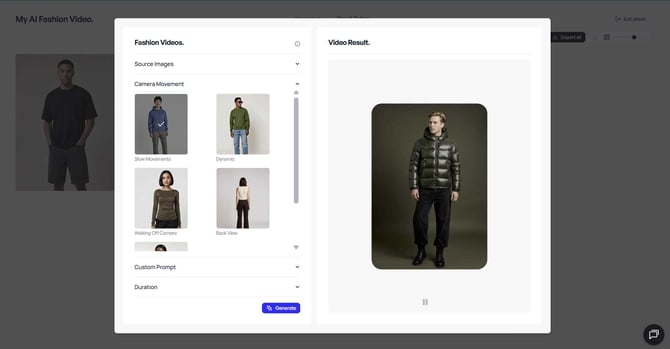
Add a personal touch with a prompt
- Enter your own descriptive prompt in the text box if you want a custom motion or creative direction.
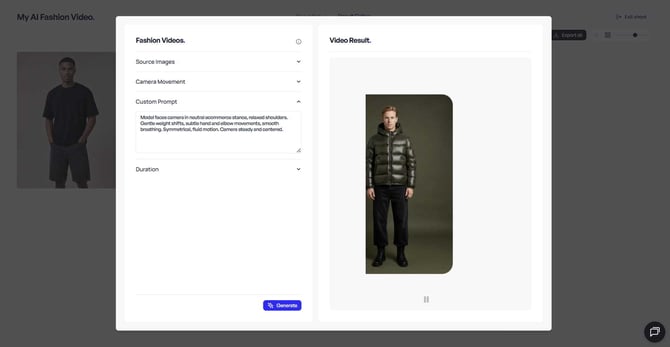
Configure your video settings
On the configuration screen (see image above), adjust the following:
- Duration → Default is 5-seconds.
But you can also choose a 10-second duration, which allows you to generate a strong and impactful scenario for your video.