Once your account is created and verified, you’ll land on the Veeton Dashboard. This is your control center for managing AI fashion photoshoots, products, and credits. Here’s a quick guide to help you find everything you need:
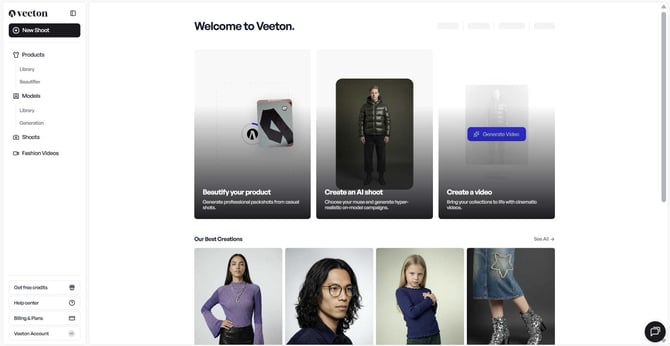
Quick actions (Top section)
- Beautify your product: Enhance your product visuals instantly, choose flatlay or ghost mode.
- Create an AI shoot: Launch a new AI‑generated photoshoot.
- Create a video: Generate an AI fashion video.
.jpg?width=670&height=307&name=%7BE0AC559E-A5CD-4955-98A2-64D98605F921%7D%20(1).jpg)
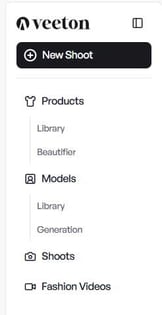
Sidebar navigation (Top left)
Quick action
- New Shoot: Shortcut to start a new photoshoot.
Product
- Library: View, upload, or manage your SKUs.
- Beautifier: Transform your product into a flatlay or ghost image.
Models
- Library: Browse a wide range of model profiles.
- Generation: Create a custom model based on your criteria.
Shoots
- Library: Access and organize all your current and past AI photoshoots.
- Generation: Access quick workflows for shoes, eyewear, or apparel shoots.
Fashion Videos: Generate and manage AI fashion videos.
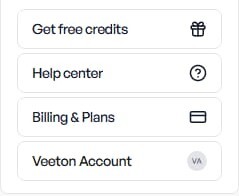
Sidebar navigation (Bottom left)
- Get free credits: Send an invitation to your friends, and receive +10 free credits for each friend who signs up on Veeton!
- Help center: Quickly access tutorials and guides to help you optimize your use of the platform.
- Billing & Plans: Check your credits, subscription plan, and payment details.
- Account & Organization: Update your profile, brand name, or preferences.
Key metrics (Top right of the dashboard)
This area gives you an at-a-glance view of your activity:
- Shoots: The number of active projects or already generated projects.
- Images Generated: Total AI-generated fashion photos.
- Videos Generated: Total AI-generated short videos.
- Products: The number of SKUs you’ve uploaded.
These metrics help you quickly track your progress and remaining workload.

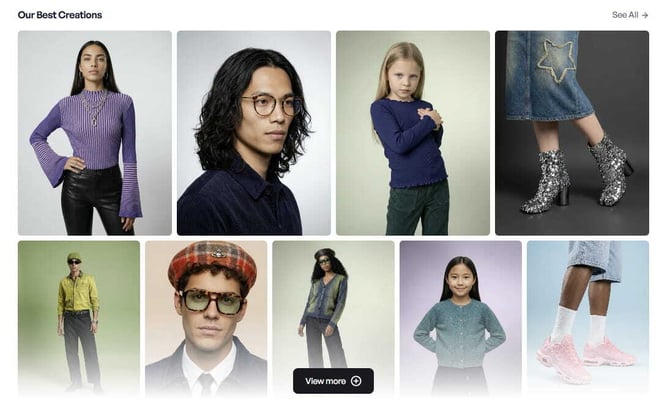
Our best creations (Lower section)
- Our best visuals: Explore our most stunning AI‑generated visuals.